ID: com.darko.evolve_orca
Version: 2.51
File Size: 0.2Mb
Theme for EvolveSMS - Orca Screenshots
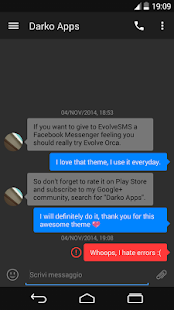
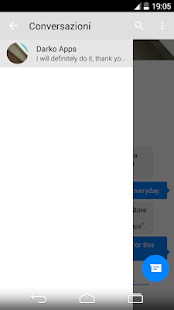
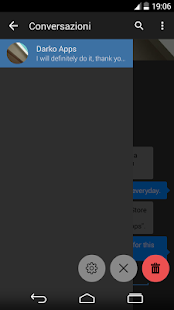
Theme for EvolveSMS - Orca Description
WARNINGYou must have EvolveSMS app and its customization pack unlocked to make this theme work.
ABOUT
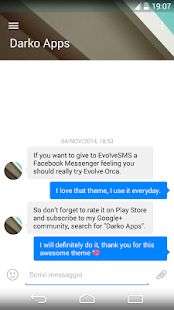
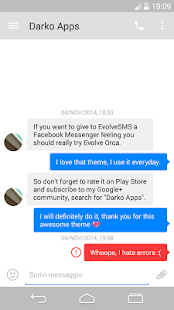
Orca is my first paid theme, it is inspired by a popular messaging app, I hope you'll enjoy it.
I suggest you to set the font size on 16pt in EvolveSMS settings to achieve a closer look to the original app.
HOW TO USE
1) Download and install the theme
2) Go into EvolveSMS app settings
3) Press on "Theme"
4) "Choose Theme"
5) Select this theme
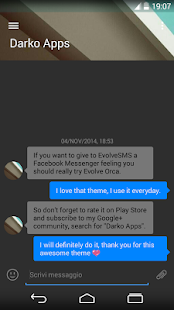
NIGHT MODE
This theme is equipped with a night version. Go into EvolveSMS app settings, press on "Theme" and select the night version of this theme, or press "Night Mode" and specify a time.
CONVERSATION HEADERS
If you want to activate the blurred headers, go through EvolveSMS settings. On the "Theme" page you will find the "Conversation Headers" option. There you can specify if you want headers to be always on or not.
Please if you find errors concerning this theme write it on your Google Play Store review or email me and I will do my best to correct everything.
What's new in Theme for EvolveSMS - Orca 2.51
v 2.51+ Changes to navbar color
v 2.50
+ Changes to support latest Android version
+ Little changes to colors
v 2.48
+ Changes for better supporting media files