ID: net.gooddx.essense
Version: 0.12.1
File Size: 1Mb
EsSense (Free Beta) Screenshots
EsSense (Free Beta) Description
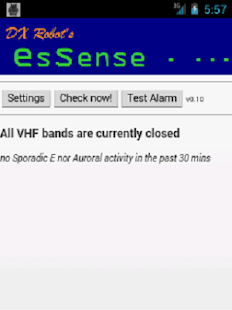
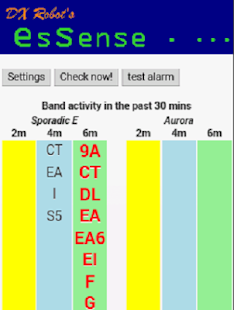
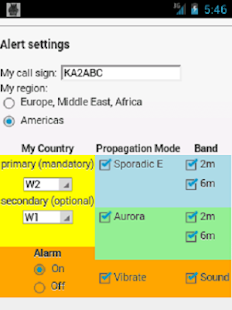
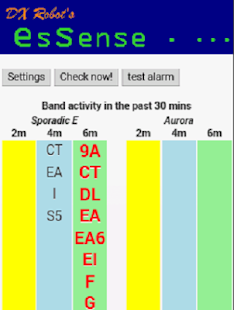
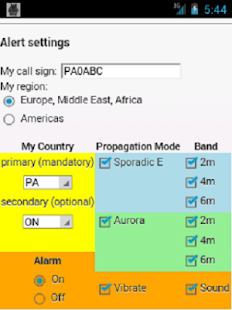
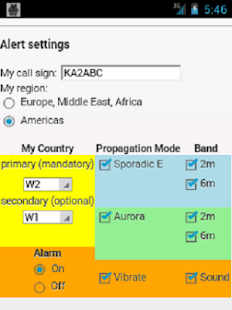
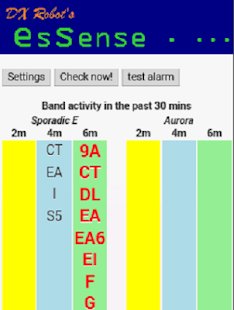
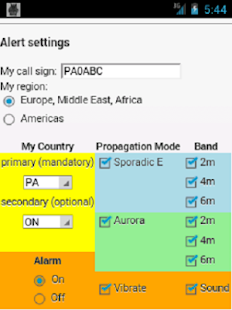
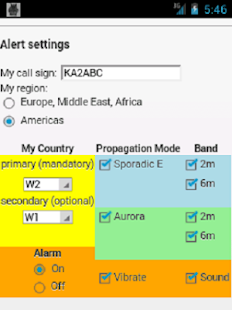
Targeted (prefix-based) E-skip, TEP and Aurora alerts for the VHF ham radio operator. From the DXrobot.VHF DX spots, posted by radio amateurs to the worldwide DX cluster, are constantly monitored and analysed by the gooddx.net server. When a Sporadic E, TEP or Aurora opening is detected, the DXrobot will send targeted push messages ONLY to users in relevant countries (countries where the opening actually occurs). These users will then receive a notification message (and optionally an alarm sound or vibration) on their Android device. Tapping the notification icon will show a handy overview of all countries (prefixes) currently active. The overview is grouped by VHF band (2, 4 and 6 meters) and by propagation mode (Es/TEP and Au).
The colour of notification icon indicates the status:
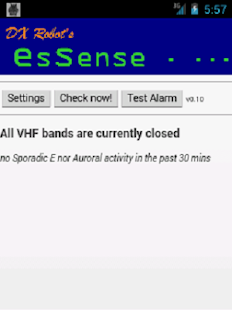
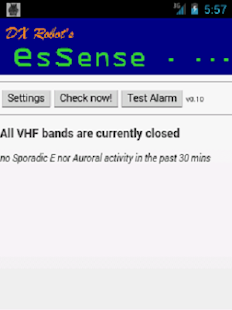
- grey: connected to DXrobot, but no current band activity - this is the 'normal' state.
- yellow: lost connection to DXrobot - trying to reconnect every 5 mins
- red: Es, TEP or Aurora activity on any of the VHF bands
An additional yellow icon will appear when a newer version of EsSense is available - tapping it will bring you to the Play Store for easy updating to the latest version.
When an opening has occured, and you tap the screen then a new screen will open showing the latest Sporadic E or Aurora spots on the DXcluster. Wait 30 secs or tap the screen again to go back to the main screen.
When EsSense is running, and you want to switch to another app, then tap the HOME button. This will keep EsSense running in the background so that it keeps listening for incoming alerts. If you tap the BACK button instead, EsSense will close down completely and disconnect from the server - so you won't receive any further updates.
Tip: On some devices the Wifi will be automatically switched off when the device goes into sleep mode. The connection to the DXrobot server will then be lost and no alerts will be received. To prevent this you can install an app that keeps Wifi alive even when the device goes into sleep. Several free apps are available for this on the market (search for "keep wifi alive" or "keep wifi on")
The EsSense icons were made by my daughter Suze.
This is a beta test version and it is currently still free. However, in a future version this may change depending on the volume of push messages that are sent. I may then have to charge a small amount to cover the cost for 3rd party push messaging services.
If you have any suggestions for further improvement, please email me at pe1nwl@gooddx.net. Your feedback is appreciated!
73 de Allard PE1NWL
What's new in EsSense (Free Beta) 0.12.1
Added differentiation within China: BY0, BY1, ..., BY9 instead of just "BY".Added differentation within Japan: JA0, JA1, ... JA9 instead of just "JA"
Added differentation within Indonesia: YB0, YB1, ... YB9 instead of just "YB"